ahmni llc · March 22, 2024
Multi Lasso for Rotating Mindmaps
Do you ever want to move a big chunk of your mindmap? Is rotating every single node daunting? Introducing the Multi Lasso!
Step 1: Select a big chunk with the lasso and move it.
Step 2: Select each smaller node/chunk and rotate them all at the same time.
Demo
Icon
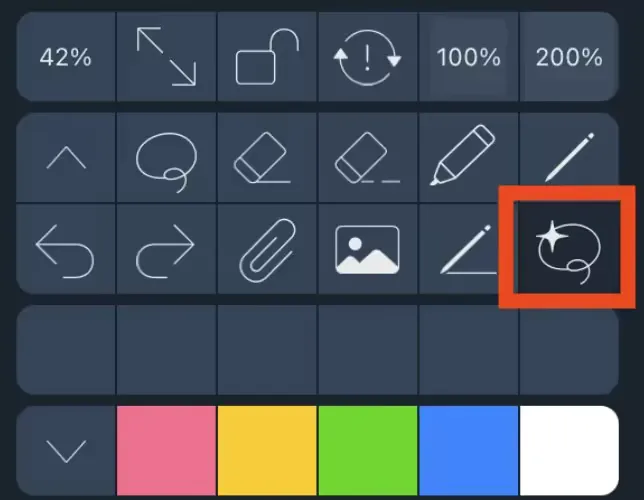
To use the Multi Lasso tool, make sure to select it first. The tool looks like a lasso with a star.
Settings
Like the normal Lasso, the Multi Lasso can be a “Partial” or “Full” Lasso.
**Partial: **Select a stroke if any part of it is touched **Full: **Only select a stroke if the whole stroke is circled.
Personally I like to set my Multi Lasso to “Full” so I don’t accidentally select arrows while selecting lots of chunks.

One More Tip
When using the Multi Lasso each individual selection can be undone and redone. So if you’re circling 30 chunks and incorrectly circle the 29th, just undo that 29th selection and try again. Here’s a demo where I get the last one wrong a few times — I use two finger tap to undo and then try again.
Interesting? Join the Ahmni Discord: https://www.ahmni.app/discord